Tiny Fax - Send Fax from Phone
- 4.6
- Rating
- 500.00K
- Installs
- Free
- Price
 Analysis by App-foxy
I tried Tiny Fax as a practical business tool rather than as something I would open every day for entertainment, and that is the right way to judge it. Its job is simple: help me send and receive documents, photos, receipts, and text from a phone without needing a traditional fax machine. That narrow purpose is also its main strength. When a company, clinic, landlord, school, or public office still asks for a fax, this app can turn an awkward errand into a short mobile task.
It is a free app from TinyWork Apps in the Business category, with optional in-app purchases ranging from $0.99 to $89.99 per item. The audience is broad enough for an Everyone age rating, although the documents people handle may contain highly private information. I found the experience most useful when I needed to deal with an occasional fax quickly, not when I wanted a complete document-management system.
How Tiny Fax fits into real work today
The current version is 6.6.6, and the app has been around since Nov 13, 2015. That history matters because faxing itself is an old workflow that refuses to disappear. Tiny Fax sits between two worlds: it gives a modern phone interface to a legacy communication method, but it does not magically make faxing as flexible as email, cloud sharing, or an electronic signature service.
You May Also Like

 Blood Strike: 2.5 Anniversary
Blood Strike’s Loadouts Turn Every Drop Into a Tactical Gamble
A close look at Blood Strike’s custom loadouts: how fast access to signature weapons reshapes its battle royale rhythm, rewards preparation, and narrows the gap between fights.

 Pandora - Music & Podcasts
Pandora’s Music Is Easy to Start, but Harder to Recover
Pandora’s strength is its low-effort path from a seed to a station. Its weak spot is how much confidence it asks you to place in connection, setup, and quiet recovery.

 8 Ball Pool
8 Ball Pool Is Built on Rivalries, Rematches, and Routine
A close look at the rivalries, rematches, shared routines, and unanswered safety questions that turn a quick pool match into a persistent mobile community.

 Samsung Music
Samsung Music’s Quiet Strength Is Playing What You Already Own
Its reach comes less from spectacle than from dependable access to a personal library. That simplicity is both the app’s strongest retention engine and its ceiling.

 AccuWeather: Weather Radar
AccuWeather Review: A Quick, Clear Forecast for Everyday Decisions
For everyday plans, the best forecast is the one you can understand quickly. AccuWeather makes rain timing, radar, and local conditions easy to act on, with a few trade-offs.

 Hill Climb Racing
Why Hill Climb Racing Still Turns Crashes Into One More Run
A tiny car, a bumpy hill and one more upgrade: Hill Climb Racing keeps resurfacing because its simple chaos makes every near-miss feel personal.
More From Our News Desk



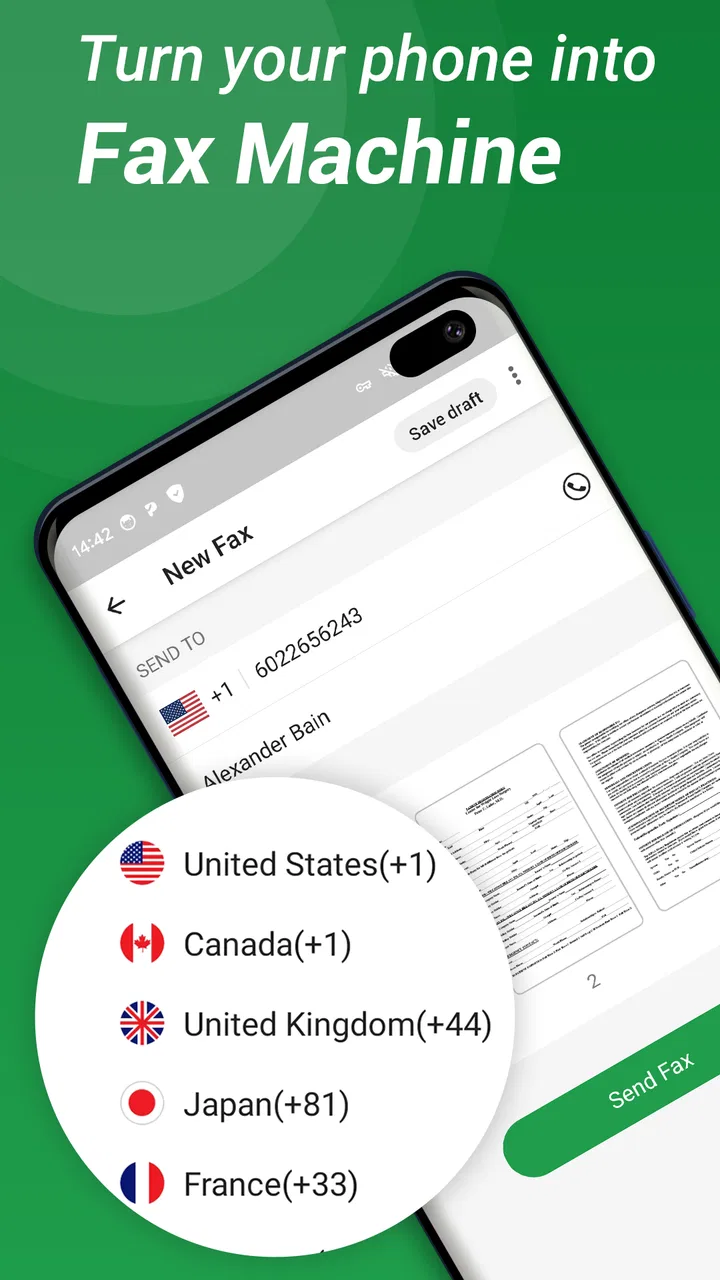
In my experience, the most useful part is the reduction in equipment. I do not need to find a fax machine, print a document first, or wait until I am back at an office. I can work from a scanned page, a photograph, or a file already stored on the phone. That makes a difference when a form has to be returned on the same day and the recipient will not accept an email attachment.
The app has attracted over 500 thousand installs, with an average rating of 4.6 from around 24 thousand ratings and roughly 11 thousand written reviews. Those figures suggest that it has found a clear audience, but they should not be read as proof that it replaces every office communication tool. Fax remains a specialized requirement, and the value depends heavily on whether the organizations I deal with still use it.
For an occasional sender, the appeal is obvious. I can keep the task on my phone, prepare the document while travelling, and avoid buying or maintaining hardware. For a small business owner, the benefit is less about convenience alone and more about keeping an old requirement from interrupting the rest of the day.
A realistic everyday workflow
Imagine receiving a two-page form from an insurance office. The form is in an email, but the office asks for a faxed copy. I can save the file to my phone, open it in Tiny Fax, check that both pages are readable, enter the destination details, and send it. If I only have a paper copy, I can photograph it first. The important preparation step is checking the edges, orientation, and small print before sending; a poor image can make the transmission technically complete but practically useless.
I would also keep the original file and any confirmation information until the recipient acknowledges receipt. A fax is not the same as acceptance. The destination may receive the pages but still reject them because a signature is missing, the image is unclear, or the wrong department received it. Tiny Fax can simplify delivery, but I still have to manage the administrative follow-up.
Where it beats the usual alternatives
Compared with visiting a copy shop, using a phone is faster and more private. I do not have to hand a sensitive receipt or medical form to a stranger, and I can handle the task outside business hours. Compared with sending an email, fax is useful when the recipient specifically requires that channel or treats it as part of an established record-keeping process.
Compared with a full office scanner and fax machine, the app is more convenient for light use but less suitable for a busy department sending large batches. Dedicated equipment usually provides a bigger work surface, a more predictable paper workflow, and easier handling of repeated documents. A cloud document service is better when several people need to edit, comment on, and track a file before delivery.
That distinction is important: I would recommend Tiny Fax for access and occasional work, not as an automatic replacement for every professional communications system. If a business sends faxes constantly, it should compare the cost of repeated app purchases with a service designed for volume and shared administration.
Small habits that make the app more dependable
My first tip is to prepare the document before opening the fax workflow. Rename files clearly, place pages in the correct order, and remove unrelated pages. This sounds basic, but mobile sending encourages rushed decisions, especially when a file has several similar-looking versions. A clean source document reduces the chance of sending a draft or an incomplete form.
My second tip is to photograph paper in bright, even light and hold the phone parallel to the page. Shadows near the binding, curled corners, and angled text are more damaging than many users expect. A readable photo is more valuable than a quick photo. I would inspect every page at full size before committing, particularly when the document contains account numbers or fine print.
My third tip is to separate transmission from record keeping. I would create a simple folder for sent documents outside the app, using a filename that includes the recipient and purpose rather than relying on memory. That gives me a useful trail if someone later asks when a form was sent. The app can be the sending tool without becoming the only place where I keep important evidence.
A fourth practical habit is to confirm the destination details twice. Fax numbers are easy to mistype because they look like ordinary strings of digits, and a wrong number can expose private paperwork. I would copy the number from the original request, compare it character by character, and avoid sending highly sensitive material until the receiving office confirms that the number is current.
What has changed, and what still needs attention
The long product history and the current 6.6.6 version show that Tiny Fax has continued through multiple stages of mobile software. That is useful context for existing users: this is not a brand-new experiment built around a temporary need. At the same time, a version number by itself does not tell me that every part of the experience has been redesigned. I judge the present app by how clearly it handles the core fax task, not by assuming that a newer number means a complete transformation.
For someone returning after a long break, the main expectation should be continuity of purpose. The app remains focused on sending and receiving business documents from a phone. The basic idea is still attractive because the underlying problem has not changed: some recipients continue to request faxed paperwork even when the sender has no fax hardware.
Existing users may appreciate not having to rebuild their entire workflow around a new category of tool. They can continue thinking in terms of documents, recipients, and delivery rather than learning a complicated collaboration platform. That simplicity is a real advantage for a one-off form or a small number of recurring tasks.
There is also a trade-off. A focused fax app may feel limited to people who expect email-style conversations, shared folders, live editing, or rich project tracking. I would not choose it as the central workspace for a team that needs comments, approvals, and detailed document permissions. In that situation, I would prepare the file in a proper office suite and use Tiny Fax only for the final transmission when fax is mandatory.
Privacy requires more care than the simple interface suggests
The Everyone rating describes the audience, not the sensitivity of the work. A fax can contain tax information, health details, identification documents, or private business records. I would therefore treat every transmission as sensitive, even when the app itself feels casual and straightforward. Check the recipient, review the page images, and avoid sending confidential material over a rushed or unfamiliar connection.
I would also be cautious when using a shared phone. Before handing the device to another person, I would close the app and make sure the document is not still visible in a recent-files area or another application. If a family member or colleague helps with the process, I would stay involved rather than assuming that a simple interface removes the need for supervision.
Another limitation is the dependence on the recipient’s fax process. Tiny Fax cannot fix an office that has an overloaded machine, an unattended line, or staff who do not check incoming faxes promptly. When timing matters, I would call the recipient after sending and ask them to confirm that the pages arrived clearly. That extra step is especially worthwhile for legal, medical, employment, or deadline-driven paperwork.
Who should use it, and who should skip it?
I think Tiny Fax is a good fit for freelancers, renters, students, carers, small-business owners, and anyone who only occasionally encounters a fax requirement. It is also useful for people who travel between home and work and do not want to carry paper or depend on a nearby print shop. The free entry point makes it easy to test whether the workflow suits a particular need before committing to a larger setup.
I would skip it if I never send or receive faxes. Email, secure file sharing, and electronic signatures are usually more convenient when the recipient accepts them. I would also look elsewhere if I need a shared team inbox, extensive automation, high-volume sending, or a formal compliance workflow. Those needs call for a dedicated business service rather than a mobile utility.
The purchase model deserves attention before regular use. The app itself is free, but individual in-app purchases can reach $89.99. That does not automatically make it poor value, because an urgent fax can be cheaper than a trip across town or a new piece of equipment. Still, I would check the available purchase option carefully and estimate how often I send documents. A person sending one fax every few months should judge each transaction differently from a company sending paperwork every week.
What I would watch before relying on it
If I were making Tiny Fax part of an ongoing business routine, I would watch how well the current version handles the areas that matter after the first successful send: document clarity, access to previous work, receiving behavior, and the cost of repeated use. The core action is easy to understand, but reliability is measured over several real tasks, not one test document.
I would also pay attention to how the app fits into a changing office. More organizations now accept digital forms and secure portals, while others continue to insist on fax for internal reasons. That means the app’s usefulness may rise and fall with the policies of the people I work with. It is best treated as a dependable option in my toolkit, not as a reason to keep using fax where a safer or faster digital channel is already accepted.
My final view is positive but deliberately practical. Tiny Fax solves a stubborn, specific problem well enough to be genuinely useful: it gives me a way to deal with fax-based requests from a phone instead of searching for old office equipment. The strongest experience comes from careful document preparation, accurate recipient details, and a habit of confirming delivery afterward.
I would recommend it to a friend who has just been told, “Please fax this,” and has no machine available. I would not recommend it as a universal replacement for email, cloud storage, electronic signatures, or a high-volume office fax service. Its value is in removing friction from occasional fax work, and for that situation, the focused approach from TinyWork Apps makes sense.
FAQs for Tiny Fax - Send Fax from Phone
01What is Tiny Fax and how does it work?
Tiny Fax is a mobile application that allows users to send faxes directly from their smartphones. The app converts documents into a fax-compatible format and sends them via a digital fax line. Users can upload documents from their phone storage or cloud services, and Tiny Fax handles the rest, making faxing as simple as sending an email.
02Is Tiny Fax secure for sending sensitive documents?
Yes, Tiny Fax uses secure data transmission protocols to ensure your documents are sent safely. The app complies with industry standards for data protection, providing encryption to prevent unauthorized access. However, users should always ensure their device is secure and updated to further protect their information.
03What file formats does Tiny Fax support for faxing?
Tiny Fax supports a variety of file formats, including PDF, DOC, DOCX, JPG, and PNG. This flexibility allows users to fax different types of documents, from text files and spreadsheets to scanned images. Users can select files from their device or directly from cloud storage services like Google Drive and Dropbox.
04Are there any costs associated with using Tiny Fax?
Tiny Fax operates on a credit-based system where users purchase credits to send faxes. The app offers a limited number of free credits upon installation, but additional credits must be purchased for continued use. This pay-as-you-go model is convenient for infrequent fax users, allowing them to avoid monthly fees.
05Can I receive faxes using Tiny Fax?
No, Tiny Fax is designed solely for sending faxes. If you need to receive faxes, you will need a dedicated app or service that supports incoming faxes. Tiny Fax focuses on providing a straightforward solution for users who primarily need to send documents via fax.
Pros
- User-friendly interface for easy navigation.
- Quick setup with minimal configuration.
- Supports various file formats for faxes.
- Secure transmission with encryption options.
- Cost-effective compared to traditional faxing.
Cons
- Limited free usage before requiring payment.
- Occasional delays in fax delivery.
- Requires stable internet connection.
- Ads may disrupt the user experience.
- Not available on older device models.

Tiny Fax - Send Fax from Phone
Gallery